Adding meta tags in Hugo blog
I migrated my blog to Hugo in February and I currently host this blog on Netlify. I love it so far - it’s simple, fast, and snappy. However, the theme I chose didn’t have built-in meta tags for social.
Setting meta tags is important so you can define what assets are used to generate summary views in social shares.
You can add the following tags into your base HTML file in the <header> tag.
In the baseof.html file, here’s how I defined $title
    {{ $title := print .Title " - " .Site.Title }}
    {{ if .IsHome }}{{ $title = .Site.Title }}{{ end }}
{{ $title := print .Title " - " .Site.Title }} = sets page title to include .Title (post title) + “-” + .Site.Title (site title).
Open Graph / Facebook and Twitter meta tags
    <!-- Open Graph / Facebook -->
    <meta property="og:title" content= "{{ $title }}" >
    {{ if .Summary }}<meta property="og:description" content="{{ .Summary }}">{{ else }}<meta property="og:description" content="{{ $.Site.Params.Description }}">{{ end }}
    {{ if .Param "feature_image" }}<meta property="og:image" content="{{ .Param "feature_image" | absURL }}">{{ else }}<meta property="og:image" content="{{ $.Site.Params.Avatar | absURL }}">{{ end }}
    <meta property="og:url" content="{{ .Permalink }}">

    <!-- Twitter -->
    <meta property="twitter:card" content="summary_large_image">
    <meta property="twitter:title" content= "{{ $title }}" >
    {{ if .Summary }}<meta property="twitter:description" content="{{ .Summary }}">{{ else }}<meta property="og:description" content="{{ $.Site.Params.Description }}">{{ end }}
    {{ if .Param "feature_image" }}<meta property="twitter:image" content="{{ .Param "feature_image" | absURL }}">{{ else }}<meta property="og:image" content="{{ $.Site.Params.Avatar | absURL }}">{{ end }}
    <meta property="twitter:url" content="{{ .Permalink }}">
Add avatar, description, author in the config.toml file.
title = "your blog title"

[params]
  avatar = "/image/filename.png"
  description = "set description"
  author = "your name"
Notes
- The
title,summary, andfeature_imageare from each post’s front matter. If they’re not defined in the post, they will return empty. - In
config.toml, theavatarspecifies the default image. This will be used for the main website and when nofeature_imageis set in the post. - In
config.toml, thedescriptionspecifies the default description. This will be used for the main website and when nodescriptionis defined. I recommend always setting thedescriptionin your post. - To validate it’s working as intended in localhost, simply Right Click > View Page Source to see if the meta tags are populating correctly.
- To validate it’s working in production, you can try sharing in social media or use validator tools like MetaTags.io or Twitter.
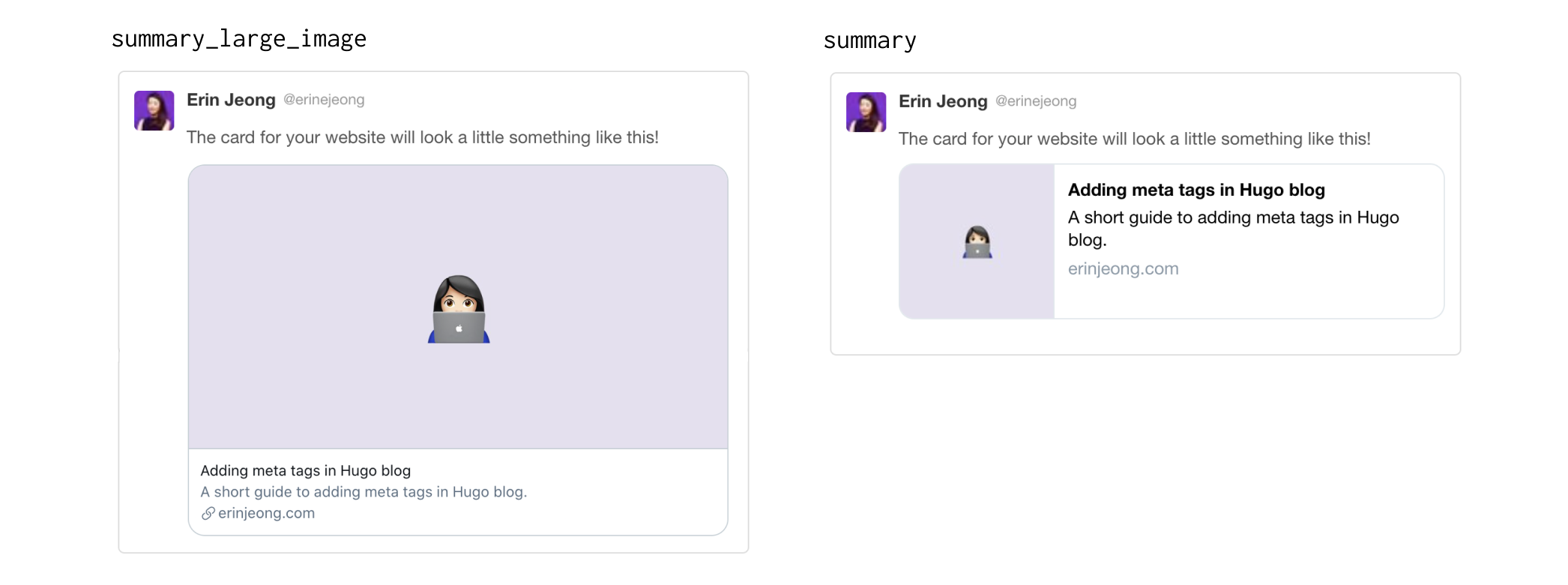
- For Twitter, there are 4 different card types:
summary_large_image,summary,app,player. Read more here.summary_large_imageandsummaryare relevant for us here. Select the one that works better for you.
- -